How to Make a Wedding Website: What to Include, When and Privacy
 By Matthew Firth, founder of ModelBrain · Nov 22, 2026 · 8 min read
The short answer: a wedding website is where guests check the details and tell you if they're coming. Put the RSVP button first, then when and where, travel and places to stay, and a short FAQ. Set it up once your date and venue are booked and share it with your save-the-dates. Keep it out of search results and leave your home address off it. Below are a checklist, a timeline, the RSVP questions worth asking, and a demo site built in one conversation.
What to put on it
Guests open your site with three questions: when is it, where is it, and what do I need to do. Answer those first, in this order:
- RSVP, with the reply-by date on the button.
- When and where: date, ceremony and reception times, venue names and addresses.
- The schedule, including anything beyond the day itself, such as a welcome drink or brunch.
- Dress code, with a practical note if it matters ("ceremony on grass", "evenings get cold").
- Travel and stay: nearest airport, parking or shuttles, and any hotel room block.
- FAQ: plus-ones, kids, photos during the ceremony, gifts.
- Registry, if you have one.
Your story, engagement photos and wedding party are lovely, but put them after the practical sections; most guests visit to find a time or an address.
When to make it, and when to share it
| When | Milestone | What to do with the website |
|---|---|---|
| 9 to 12 months | Date and venue booked | Set up the site; add the date, city and venue |
| 6 to 8 months | Save-the-dates go out (8 months or more for destination weddings) | Add travel and places to stay; put the link on the save-the-dates |
| 2 to 3 months | Invitations go out | Open the RSVP form and set a reply-by date |
| 4 to 6 weeks | RSVP deadline | Chase missing replies; update the schedule and FAQ |
| The week of | Final details | Add shuttle times, weather notes and any changes |
| After | Thank-yous | Post a thank-you note and a photo link, then take the RSVP form down |
Zola suggests having the site ready about six to eight months out, once the key details are settled, and The Knot recommends creating it as soon as you've locked in the date, time and location, then putting the link on your save-the-dates. Don't share it until the date and venue are certain; a website with a changed date is harder to correct than a card nobody has received yet.
The RSVP form
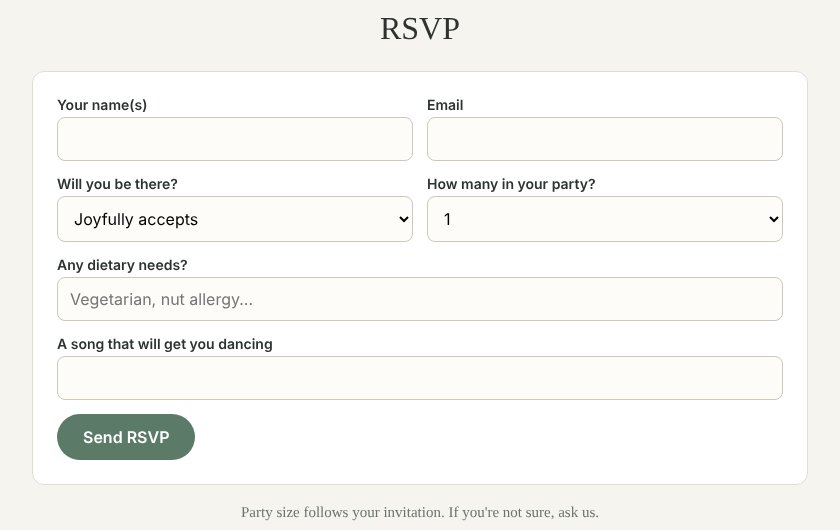
Ask only what you'll use. A good RSVP form has:
- names, and an email so you can send updates;
- attending or not, with friendly wording for both;
- party size, limited to what the invitation allows;
- dietary needs or allergies;
- meal choice, only if your caterer needs it in advance;
- one fun question, such as a song request, if you like.
Set the reply-by date a few weeks before your caterer needs final numbers, so you have time to chase the people who forget. Send yourself a test RSVP before you share the link.
Keep it private
- Hide it from search engines. Most builders have a setting for this; it stops strangers finding the site by searching your names. Share the link directly instead.
- Use a password if your platform offers one and your guests won't find it a hassle.
- Leave your home address off. Venue addresses are fine. Your home will be empty on the day, and the site says exactly when.
- Look after the RSVP list. It holds your guests' names and emails. Don't publish it, and delete the form once the wedding is over.
- Think before posting photos of others, especially children, without asking.
Where to build it
Wedding platforms such as Zola and The Knot offer free websites with RSVPs and registries built in, which is the simplest route if you're already using them to plan. General website builders give you more design freedom and your own domain. You can also build one by talking to an AI assistant.
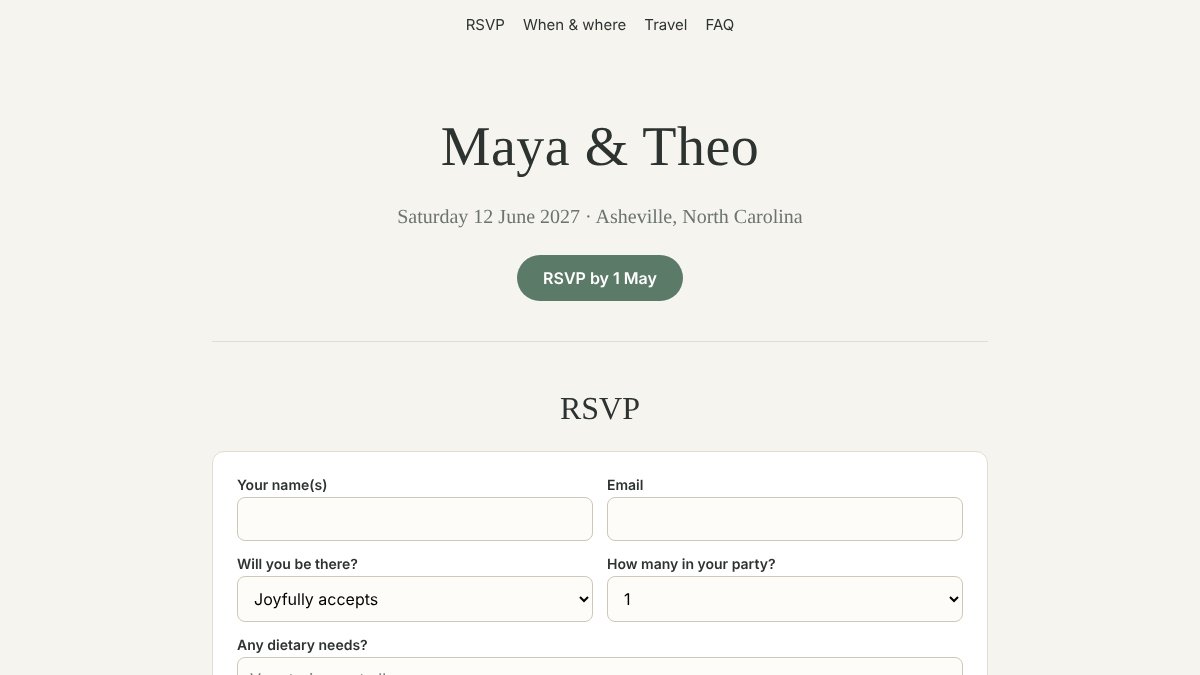
We did that for a fictional couple, Maya and Theo, using Claude with ModelBrain Live, our product. One description of the wedding and a few answers about times, travel and the guest rules produced the site shown above: an RSVP form that emails replies, the schedule, travel, a FAQ, and a setting that keeps it out of search results. You can try it at demo-wedding.modelbrain.app; it's clearly labelled as a demo. Our guide to building a website with Claude walks through the same process step by step and compares the other options.
Before you share the link
- Date, times and venue addresses are correct, checked against your contracts.
- The RSVP form works: send a test and make sure it reaches you.
- The reply-by date is on the button and in the form.
- The site reads well on a phone.
- It's hidden from search engines, and your home address isn't on it.
- The FAQ answers plus-ones and kids, the two questions that cause awkward messages.
Common questions
When should I make my wedding website?
Set it up once your date and venue are booked, and share it when your save-the-dates go out. The big planning sites put that at about six to eight months before the wedding, and earlier for destination weddings, when guests need longer to book travel.
What should I put on my wedding website?
An RSVP form, the date, times and venue, the day's schedule, dress code, travel and places to stay, a FAQ covering plus-ones, kids, parking and photos, and your registry. Your story and photos are nice extras, not essentials.
Does it cost to have a wedding website?
Usually not. Zola and The Knot both offer free wedding websites, and many general website builders have free plans. You pay extra mainly for a custom domain, typically around $10 to $20 a year.
Should my wedding website be private?
Keep it unlisted at least: ask your builder to hide it from search engines, don't post your home address, and use a password if your platform offers one. Your RSVP list holds guests' names and emails, so treat it with care.
What FAQs should I include on a wedding website?
The questions guests actually ask: can I bring a plus-one, are kids welcome, what should I wear, is there parking, can I post photos, and what about gifts. Answer each in a sentence or two.
Can I make a wedding website with AI?
Yes. You can describe your wedding to an AI assistant and have it build the site, including an RSVP form, then check every detail before you share it. The demo shown on this page was built that way.
Sources
- Zola, When should I make a wedding website? and When to send save the dates.
- The Knot, How to share your wedding website.
Last checked November 22, 2026. Written by Matthew Firth with help from an AI assistant; ModelBrain Live is our product.