Claude Connectors: How to Add Them and Control What They Do
 By Matthew Firth, founder of ModelBrain · Nov 22, 2026 · 8 min read
The short answer: in claude.ai or the Claude desktop app, go to Customize > Connectors, select Discover, pick the app and choose Connect to Claude. Sign in to the app, then turn the connector on in a chat from the + menu. On the connector's own page you decide which of its actions Claude may take without asking. Any service with an MCP server can be added the same way by its URL, even if it isn't in the directory.
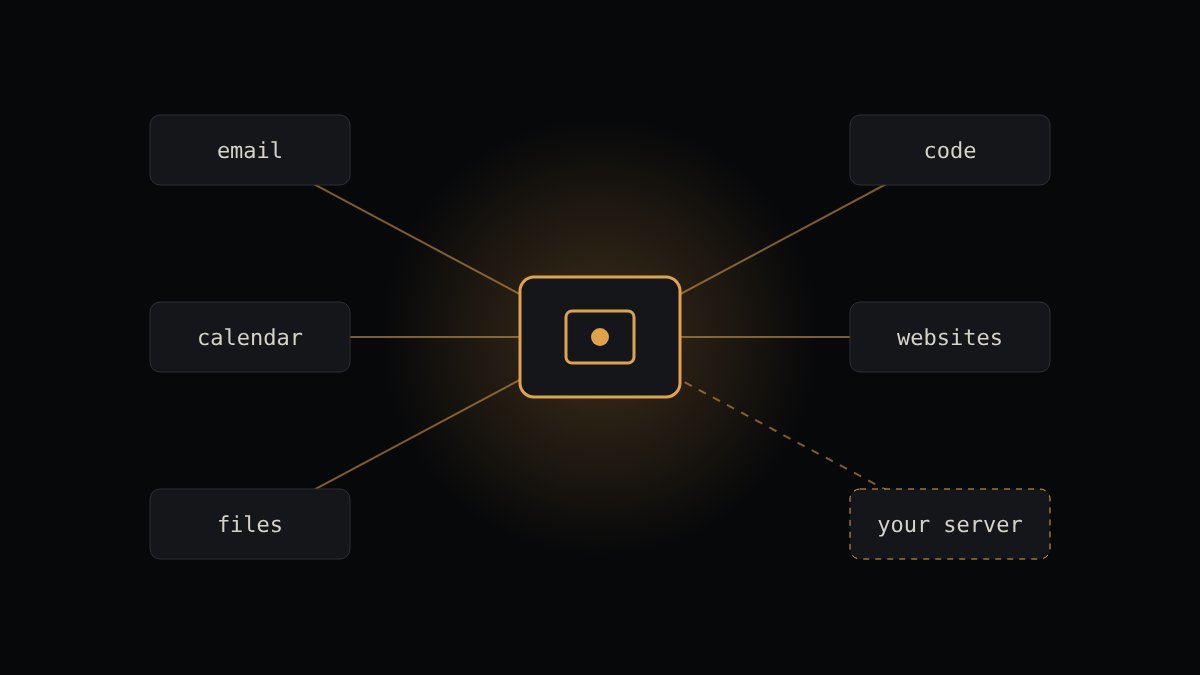
What a connector is
A connector links Claude to an outside app, such as your email, calendar, files or code, so it can find things there and take actions for you. It works with your own account and permissions: if you can't open a file or channel in the app, Claude can't reach it either. Under the hood every connector is an MCP server; "connector" is just what Claude calls one once it's added to your account.
How to add a connector
- Open Customize > Connectors. On the web that's claude.ai/customize/connectors; in the desktop app, choose Customize in the sidebar, then Connectors.
- Find it. Select Discover, then search or browse by category. Each listing is labelled Verified or Community; verified isn't the same as a security audit.
- Connect. Select Connect to Claude, sign in to the app and approve the access it asks for. It then shows as Connected under Your connectors.
- Turn it on in a chat. In the message box, select + then Connectors, and switch it on. The switch is per conversation; turning it off doesn't disconnect it.
On Team and Enterprise plans an Owner adds each connector for the organization first. Members then connect their own accounts, or see a Request button if it hasn't been added yet.
Control what Claude can do without asking
The first time Claude wants to use one of a connector's tools, it can ask you: Allow once or Always allow. To change that later, open the connector under Customize > Connectors and set each group of tools to Always allow, Needs approval or Blocked. A sensible start is to always allow reading and searching, and keep anything that sends, deletes or shares on Needs approval. On Team and Enterprise plans, Owners control which write actions are available and whether they can run without approval.
To stop using a connector, switch it off in the chat. To sign Claude out of the app, choose Disconnect on its page. To remove it entirely, use the three-dot menu and Remove.
The common connectors, side by side
| Connector | Plans | What Claude can do | Setup note |
|---|---|---|---|
| Gmail | All plans | Search, read, draft, send, reply and forward email; labels and threads; open attachments up to about 12 MB (needs code execution and file creation on) | Asks before each send, reply or forward unless you allow it |
| Google Calendar | All plans | See events (including shared calendars), create, change and delete them, find free times, answer invitations | A separate connector on the same Google account |
| Google Drive | All plans | Search and read Docs, Sheets, Slides, PDFs and Office files; upload, share, move and trash files | Reads text only; images embedded in documents are skipped |
| Microsoft 365 | All plans | Work or school: SharePoint, OneDrive, Outlook and Teams; write tools if your admin allows. Personal: Outlook mail and calendar, OneDrive | Work accounts need one-time consent from a Microsoft Entra admin |
| GitHub | All plans, including Free | Add repository files to a chat or Project so Claude can answer questions about your code | For pull requests and day-to-day code work, Anthropic points to Claude Code |
| Custom (any MCP server) | All plans; Free allows one | Whatever the server offers | Added by URL; Anthropic hasn't verified it |
Gmail, Calendar and Drive
Gmail, Calendar and Drive are separate connectors that use the same Google account. Claude cites the emails, events or documents it used, with links back. By default Claude asks before it sends, replies, forwards, shares, moves or trashes anything. If you use a Google Workspace account at work, your organization's Google settings still apply.
Microsoft 365 and Outlook
There are two ways in. A personal Microsoft account (Outlook.com, Hotmail, Live) works on Free, Pro, Max and Ultra with no admin: choose Connect next to Microsoft 365 and pick the personal option. It covers Outlook mail and calendar and OneDrive. A work or school account reaches SharePoint, OneDrive, Outlook and Teams, but a Microsoft Entra Global Administrator must grant one-time consent first, and on Team and Enterprise plans a Claude Owner must enable it. You can only connect one Microsoft account at a time. Claude can't send, forward or draft emails with attachments. Choose the personal option on the web; the connection then works in the mobile apps too.
GitHub
Claude's GitHub integration, on every plan, lets you add files from your repositories to a chat or Project so Claude can explain or review your code. For pull requests and day-to-day code work, Anthropic points to Claude Code, which works in your repository directly.
Add a custom connector
When the app you want isn't in the directory but offers an MCP server, add it by URL. Custom connectors work on every plan; the Free plan allows one.
- Go to Customize > Connectors, choose Add, then Add custom connector (on Team and Enterprise, an Owner does this in Organization settings > Connectors, under Add, Custom, then Web).
- Give it a name, paste the server's URL and click Continue.
- Keep the sign-in settings Claude detects unless the provider tells you otherwise, click Add, then sign in when the app's page opens.
Example: ModelBrain is our product, and it's added this way. Name it ModelBrain, use the URL https://relay.modelbrain.net/mcp, sign in at modelbrain.net and choose Websites only; Claude can then build and publish websites for you. Our setup guide shows each click, and how to build a website with Claude walks through a real example.
Two things to know about custom connectors. Claude reaches them from Anthropic's servers, not from your computer, so a server on your home or office network won't work unless it's reachable from the internet. And Anthropic hasn't checked them, so add only servers from providers you trust.
The same idea in ChatGPT
ChatGPT now calls these plugins (older screens say apps); Wix, Shopify and many others are listed. You add your own MCP server by URL from Plugins on chatgpt.com, in a browser rather than the mobile app. OpenAI's help page describes which plans get which level of access, and on Business, Enterprise and Edu workspaces an admin sets it up. Where your plan allows it, the same server URL usually works in both assistants; we've tested ModelBrain in both.
Staying safe
- Separate reading from acting. Let Claude read freely; make it ask before it sends, deletes, shares or pays.
- Watch for instructions hidden in content. An email or web page can contain text written to steer an AI. If Claude proposes an action you didn't ask for, decline it.
- Connect only what you need. Switch connectors off in chats that don't need them.
- Know how to revoke. Disconnect in Claude, and for Google also remove Claude at myaccount.google.com/connections.
Common questions
What is a Claude connector?
A connector links Claude to another app or service, such as Gmail, Microsoft 365 or GitHub, so Claude can look things up there and, if you allow it, take actions for you. Claude only sees what your own account in that app can see.
Are Claude connectors free?
Adding connectors is included in every Claude plan, including Free. The app you connect may need its own account or paid plan. Free plans can add one custom connector by URL.
What's the difference between a connector and MCP?
MCP, the Model Context Protocol, is the open standard underneath. A connector is Claude's name for an MCP server you've added to your account, either from Anthropic's directory or by its URL.
Can Claude send emails through Gmail?
Yes. The Gmail connector can search, read, draft, send, reply and forward. Unless you've turned on automatic approval, Claude asks you before each send, reply or forward.
Can I use a personal Outlook account with Claude?
Yes, on Free, Pro, Max and Ultra plans. A personal Microsoft account connects Outlook mail and calendar and OneDrive, with no admin needed. Team and Enterprise plans support work or school accounts only.
Does Anthropic train on my connector data?
Anthropic says it doesn't train its models on Gmail, Drive or Calendar connector data. If you've allowed your chats to be used for training on a consumer plan, content from a connector that ends up in a chat can be.
Do connectors work in Claude Code and on my phone?
Yes. Connectors you add in claude.ai work in the desktop and mobile apps, and in Claude Code when you sign in with the same account. Anthropic's steps for adding connectors are for claude.ai and the desktop app.
Sources
- Claude Docs, Get started with connectors.
- Claude Help Center, Get started with custom connectors using remote MCP.
- Claude Help Center, Use Google Workspace connectors.
- Claude Help Center, Connect to Microsoft 365.
- Claude Docs, GitHub integration.
- OpenAI Help Center, Connecting custom MCP servers in ChatGPT.
Last checked November 22, 2026. Claude's menus have moved several times this year, so if a step doesn't match, check Anthropic's page first. Written by Matthew Firth with help from an AI assistant; ModelBrain is our product.